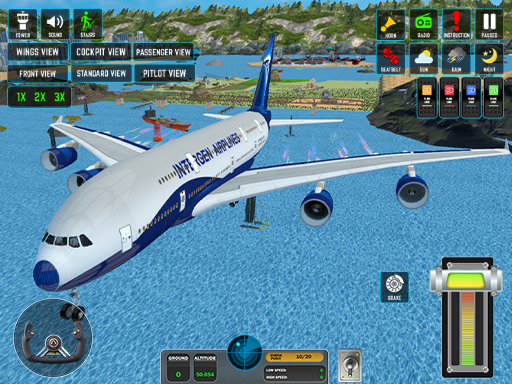
Passenger Airplane: Flight 3D is a browser flight simulator with two distinct modes. World Map Mode lets you fly real-route shapes between major airports at your own pace, while Flight Training Mode walks you through pilot exercises — takeoff, climb, level flight, landing — with explicit instruction. Six camera angles (cockpit, external, wing, tail among them) and three weather conditions (sunny, rain, storm) layer enough variety to keep both modes worth replaying.
How to play
You control pitch, roll, throttle, and rudder via the keyboard. World Map mode drops you at a starting airport with a destination on a map; you take off, level out, and land. Training mode is structured around discrete skills — your job is to complete each exercise to the target parameters. There is no fuel system, so flight time is open-ended, which suits the free-fly intent of World Map mode.
Controls
- Keyboard: arrow keys or WASD for pitch and roll, A/D or Q/E for rudder, +/- for throttle, C to switch camera, weather toggle on the in-game menu.
Tips & tricks
- Learn one camera angle first. Cockpit teaches instruments, external teaches attitude — switching constantly is how new players crash.
- On stormy weather, halve your throttle and feather the controls. Wind shears the aircraft if you fight them.
- Start in Training mode even if the World Map is more inviting. The first three exercises pay back over every flight after.
- Landing is the actual skill. Approach speed, descent rate, and flare timing are what separate a survival from a fail.
What makes it good
We picked it because the two modes serve different play styles cleanly — structured for learners, open-ended for explorers — and the weather toggle is the rare browser-sim feature that actually changes the flight.